About Me

My photo
Rohit is an investor, startup advisor and an Application Modernization Scale Specialist working at Google.

Friday, May 13, 2016

Recovering from failure in Cloud Foundry Diego


Recovery from failures in running Diego processes or tasks involves a combination of the following steps

  1. Look at the current state of the Diego by running the veritas tool on the OpsManager or the Diego Cell VM (bosh ssh diego_cell/0). Run ./veritas autodetect, ./veritas dump-store, ./veritas garden-containers and ./veritas distribution to understand the current state of Diego Deployment.
  2. Look at the failing processes using BOSH with bosh instances --ps What process is failing ?. Attempt to fix the failing processes with bosh cck or bosh restart Ensure that all the Diego processes like the BBS and BBS Brain and the Cells are running. Ensure that quorum is maintained between the Diego datastores - Etcd, Consul and BBS. 
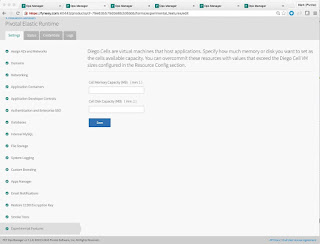
  3. Pay close attention to the memory and disk quotas necessary for cf app pushes to work. Diego is very conservative in its calculations for the remaining memory and disk capacity for containers. Diego never overcommits if it cannot fit the app under existing quota constraints. For the task to be run by diego the min disk per Cell >= 6GB and min. memory per Cell >= 7GB. In PCF 1.7 we’ve introduced as an experimental feature in 1.7, the ability for you to over-provision / relax the diego insistence on hard commits of memory/disk from the underlying cells.
  4. Look at the PCF Accounting Report. The accounting report let’s you monitor instance usage. This is kind of handy just to see what’s been running, what’s been scaling, how much you’ve used, etc. gain, this is useful to see am I hitting the limits all the time, or am I traveling well under.
  5. Identify repeating errors in the log from LogInsight and Splunk. This will give insight into flapping apps and other zombie instances that could be chewing up the containers. 
  6. The rep.CapacityRemainingMemory metric shows the cell server with the least free memory. If this metric reaches or approaches 0, its a key indicator that your foundation may need more cell servers.bbs.LRPsRunning shows the total running Application Instances in your foundation. If this is a capacity issue, adding Cells via OpsManager and redeploying may fix the problem with the increased resources for staging and running apps.
  7. For classes of failures where Routes to apps cannot be found go ahead and bounce the bounce the diego brain VMs followed by the BBS VMs. 
  8. For Quorum issues between etcd and consul internal stores follow advice given bbs-etcd-consul-2-is-a-cloud. Note these quorom issues have been patched in the later service releases of PCF 1.6
  9. Remember before opening tickets for Diego auction and runtime failures -  collect metrics and logs from the Diego Brain, BBS and Cell VMs. Log collection can occur in two ways. 1. For small 2-cell deployments the Logs/Status tab of the OpsManager can be used to download logs; 2. however for a real deployment you will most likely pull out the logs from your syslog aggregator service like Splunk or ELK.
  10. Debug Cloud Controller Performance: 
    • The total number of requests completed: cc.requests.completed. This is a counter that goes up from zero. The actual number isn't so important, but you might want to look at the rate at which it grows (per min / hour) as that could give you some idea of what a "normal" load is for your CCs.
    • You can look at the cc.http_status.5XX metric which tells you how many responses were returned in error. This metric is a counter that starts at zero and climbs up with each 5xx response that is returned. Seeing some 5xx requests isn't always a problem indicator, but if the number is climbing rapidly then that would be bad. Sometimes you will see a high number of 503 requests in the logs. Looking at the growth of this number (per min / hour) would be interesting. It would also be interesting to compare it to the rate of growth for the total number of completed requests. I would expect that normally this should grow very slowly compared to the total number of requests.
    • There are a couple interesting metrics under the cc.thread_info.event_machine group. I believe that these report about the thread pool used by the ruby process to handle requests. In a small lab test, these three seemed interesting cc.thread_info.event_machine.connection_count, cc.thread_info.event_machine.threadqueue.num_waiting and cc.thread_info.count.  The first seems to be similar to cc.requests.outstanding, an indication of how many requests are hitting the server at any given moment.The second looks like an indication of how many free threads are in the thread pool used to process requests. It works in inverse, with positive numbers indicating remaining capacity. The last is the thread count for the app. In a lab environment, this seems to hover around 21. It would grow as more threads are added.
Screenshot credit goes to the very excellent Mark FynesThanks to Daniel Mikusa and Luan Santos for insight into logging and remediation actions.

Saturday, May 7, 2016

Migrating JavaEE Apps To the Cloud

Migrating JavaEE Applications To the Cloud

Java EE began with less than 10 individual specifications, but it has grown over time through subsequent updates and releases to encompass 34. Compared to microservices-based architectures, Java EE and its included specifications were originally designed for a different development and deployment model. Only one monolithic server runtime or cluster hosted many different applications packaged according to standards. Such a model runs opposite to the goal of microservices. The latest versions of Java EE added a ton of developer productivity to the platform alongside a streamlined package. [Modern JavaEE Design Patterns]
There are a lot of technologies from the Java EE specification that barely offer any advantages to microservices-based architectures, such as the Java Connector Architecture or the Batch Processing API. When building microservices architectures on top of Java EE, look at the asynchronous features and use the best available parts.
The document below details which Java EE specifications are a proper fit for implementing cloud native appsApps that leverage the JavaEE Web Profile make the best candidates to movet to the cloud. Please see the table below for a detailed treatement of Java EE spec. suitability in the cloud.

Deployment of Java EE Apps To Cloud Foundry

The restrictions imposed by the Cloud Foundry platform allow the platform to scale and provide qualities of service like app lifecycle management, dynamic routing, health management, monitoring, recovery, log aggregation and infrastructure orchestration. Cloud Foundry as a platform optimizes for stateless web apps with light footprint. Some of the recent features ofCloud Foundry like TCP Routing, Deigo container runtime and Docker support have reduced the constraints of the apps running on the cloud.
Cloud Foundry leverages buildpacks to create immutable app artifactions called droplets. A droplet represents a fundamental unit of scaling and immutable deployment in Cloud Foundry. Java apps in CF can be staged and run with the Java Buildpack, TomEE Buildpack, JBOSS Buildpack and Liberty Buildpack.
The capabilities of these buildpacks as they relate to running JavaEE apps are as follows:

Java Buildpack

Provisions a plain vanilla Tomcat servlet contatiner. This buildpack is ideal for spring apps, fat jar apps or apps that come with batteries included. JBP auto-configures data-source beans in the Spring Application context to connect to the appropriate services in the cloud.

WebSphere Liberty Buildpack

Buildpack uses IBM JRE 8 and enables Java EE 7 Web Profile features for WAR and EAR applications. Liberty Buildpack can be easily configured to switch to JavaEE6 or JRE7 using configuration override environment variables. This is the most natural target for moving apps from WebSphere Application Server Network Deployment or Websphere Application Sever Base apps. The following list of Liberty features will be enabled in the default configuration: beanValidation-1.1, cdi-1.2, ejbLite-3.2, el-3.0, jaxrs-2.0, jdbc-4.1, jndi-1.0, jpa-2.1, jsf-2.2, jsonp-1.0, jsp-2.3, managedBeans-1.0, servlet-3.1, websocket-1.1. The Liberty Buildpack accepts .ear. .war. .jar files and full server packages. [Upcoming Liberty buildpack changes]. The Liberty buildpack auto-configures the server based on managed services bound to the application.

TomEE Buildpack

The TomEE buildpack is the smallest delta on top of the Java Buildpack to support the Java EE specification. Apache TomEE is an all-Apache Java EE 6 Web Profile certified stack. Apache TomEE is assembled from a vanilla Apache Tomcat zip file. TomEE starts with Apache Tomcat, adds jars and zips up the rest to provide the Apache TomEE Web Profile i.e. Servlets, JSP, JSF, JTA, JPA, CDI, Bean Validation and EJB Lite .

JBOSS Buildpack

The JBOSS Buildpack provisions full and web profile implementations of Java EE. The buildpack only stages war files and has no support for ear files. JBOSS Buildpack function is currently being enhanced to autogenerate the standalone.xml configuration based on bound services.

Java EE Web Profile

SpecificationVersionsSuitabilityCloud Nativity
Servlet3.0, 3.1YesNon-blocking I/O, upgrade to WebSocket, security. The servlet specification also allows the use of asynchronous request processing. The parts that need to be implemented are thread pools(using the ExecutorService), AsyncContext, the runnable instanceof work, and a Filter to mark the complete processing chain asynchronous.
JSP, EL, JSTL, JSF2.2YesAlthough JSF 2.2 is a point release it contains a number of features important to the community.In general there are few issues using HTML 5 with JSF. HTML 5 features such as JavaScript, WebSocket, local storage, canvas and web workers can easily be used with JSF. The only identified issue thus far had been using newer HTML 5 markup with JSF components since JSF components do not recognize these markup elements out of the box. The solution in JSF 2.2 is to allow for freely mixing and matching HTML 5 markup with JSF via pass-through elements and attributes.The older and redundant managed bean model is now being deprecated in favor of the CDI programming model. This is part of the overall platform alignment with CDI. As part of this alignment the very useful view scope previously limited to JSF managed beans is now available to CDI beans.The flow scope is an extremely useful addition to JSF. It allows for beans that automatically live and die within a given boundary in the application (e.g. account management section, catalog section, search section).
JAX-RS1.1, 2.0Yes, JAX-RS is the primary building block of the Java EE microservice stackThe primary goal of JAX-RS 2 is improving portability by standardizing common non-standard features in JAX-RS implementations like Jersey, RESTEasy and Axis. One of the most significant changes is adding a client-side REST API. The Fluent API uses the builder pattern and is at the same time very simple but powerful.The addition of message filters and entity interceptors significantly improve the extensibility of JAX-RS. While message filters are conceptually similar to Servlet filters, entity interceptors are similar to CDI interceptors. While it is possible for end users to use message filters and entity interceptors the more likely users are framework and plug-in writers.Asynchronous processing can significantly improve scalability for the most demanding applications. JAX-RS 2 adds simple asynchronous processing capabilities both on the client and server sides.
WebSocket1.0Yes, WebSockets are supported by CFWebSocket is a key part of the HTML 5 family of standards. It allows for TCP like stateful, full-duplex, bi-directional, asynchronous communication over the web. Unlike stateless vanilla HTTP, WebSocket is useful for cases such as online multiplayer game-like applications, online chat-like applications or stock ticker-like applications.The Java API for WebSocket is a high level API similar to JAX-WS and JAX-RS. There is both a server-side and a client-side API for easily developing with WebSockets. Most of the time you will likely be writing Java server-side endpoints while the client side is written in JavaScript.There is both a declarative annotation centric API as well as an interface centric programmatic API. You will most often likely use the annotation-centric API. The programmatic API is useful for dynamically changing WebSocket endpoints at deployment time, perhaps very helpful for framework writers.
JSON-P1.0YesJSON is quickly becoming the de-facto data serialization protocol on the web, especially with HTML 5.The goal of the Java API for JSON Processing (JSON-P) in Java EE is to standardize JSON for Java, reduce dependence on party frameworks and reduce application complexity.Similar to the Java API for XML Processing (JAXP), JSON-P is a lower level API to handle JSON. It is not a higher level declarative binding API like the Java API for XML Binding (JAXB). Such an API is forthcoming in Java EE 8 and will be named the Java API for JSON Binding (JSON-B).
JPA2.0, 2.1Yes, As long as the database and the 2nd level cache is injected as a backing service.JPA 2.1 standardizes a bunch of non-standard features like schema generation and stored procedures. JPA 2nd level caches should be located outside the JVM and injected as a backing service. Unsynchronized persistence contexts and entity graphs are other optimization introduced.
CDI, Interceptors, Managed Beans, DI1.0, 1.1YesThe CDI specification has become the fundamental building block of the Java EE platform. Java EE7 and Java EE8 is completely being reworked on top of CDI. In addition to providing dependency injection CDI provides eventing, interceptors, decorators and other core application services.
EJB3.1, 3.2YesJava EE 6 EJBs run perfectly fine on Cloud Foundry as long as the remoting protocol is HTTP. Stateless session beans and singleton EJBs run unchanged on the platform as long as the EJB container. Stateful EJBs should not be passivated locally. Stateful EJB passivation will only work with an external distributed cache.
JTA1.1, 1.2NO2PC Transactional commit does not work across multiple distributed REST services. Prefer BASE(Basically Available, Soft state, Eventually consistent) over ACID(Atomicity, Consistency, Isolation & Durability). Transaction managers typical write transaction logs to local file system and rely on persistent server identity - both of these are not available by design in CF. The workaround here is using standalone transaction managers like Atomikos and Bitronix. Introduce eventual consistency patterns
Concurrency Utilities1.0YesThe concurrency utilities for Java EE provide a framework of high performance threading utilities and thus offer a standard way of accessing low-level asynchronous processing.

Java EE Full Profile

The JavaEE full profile has a numnber of management and security technologies that no longer apply in the cloud. Since the platform takes care of application lifecycle management, deployment, scaling , health management and monitoring of apps. Therefore specifications like J2EE Management, Javabeans managment framework are no longer relevant in the cloud. A small subset of specifications like JAXB, JDBC and JMX still apply in the cloud and will work as is in cloud foundry.
In terms of web technologies in the full profile most specifications work unchanged in the cloud; however specifications like JAXR and JAX-RPC are no longer relevant to modern microservices architectures. SOAP based JAXWS webservices will run unchanged in an app server- buildpack that supports the full profile.
Full profile Java apps in general poor candidates to migrate to the cloud.

Other Technology Constraints in moving to the cloud

In addition to the evaluating the suitability criteria from a Java EE perspective there are other views of suitability as well. It is critical to look at the app from multiple lens to determine app suitability. Some of these technology Barriers To Moving Apps and Services to Cloud Foundry are:
  • Language/Runtime Characteristics: CF only supports languages that have a buildpack that run on Linux. Cloud Foundry currently supports Ubuntu Trusty and CentOS 6.5 on vSphere, AWS, OpenStack, and vCloud infrastructures.
  • Degree of Statefulness - Runtime state includes caching and Sessions. Coordination of state across peer instances impacts performance. Any application that requires persistent heavy data processing. Apps that require large-scale stateful connections to external services. Use of frameworks that persist client state on the server side like JSF. Apps that keep a large amount of critical runtime state within the JVM i.e. stateful apps are bad candidates to the PaaS. Ideally all persistent state should reside outside the app in a HA data persistence tier.
  • File System - Cloud app instances are ephemeral. Local file system storage is short-lived. Instances of the same app do NOT share a local file system.Avoid writing state to the local file system. Does the app rely on a persistent local filesystem or storage ?
  • Configuration - Configuration should live external to the deployed app. Config must come from the Environment via environment variables via external configuration server. Apps that have embedded property files or one war/ear file per environment require the refactoring of configuration code before running on the PaaS. We recommend one code base tracked in revision control across multiple deploys. Can you deploy to multiple environments with single codebase.
  • Web Frameworks : Does the app leverage Java EE or Spring Frameworks and if so are the libraries bundled within the app or come with the app server. If there is strong dependence on an application server like WebSphere to provide dependencies or if proprietary application server APIs are used then that forces the app to use a particular buildpack or worse refactoring to start embedding the libraries within the app.
  • Startup/Shutdown Characteristics: Prefer apps that start cleanly without a lot of upfront initialization, coordination and shutdown without the need for comprehensive cleanup of state.
    Is a startup/shutdown sequence necessary for your app to run effectively. Avoid creating any process instances outside the staged runtime.
  • Scalability of the App - Does the app rely on X-axis(horizontal duplication, Scale by cloning), Y-axis (functional decomposition, scale by splitting different things) or Z-axis (data partitioning, scaling by splitting similar things) ?. Design app as one or more stateless processes enabling scale-out via process model.Which other dependent services needs to be scaled when the app is scaled ?
    Dependencies - How are external dependencies wired into the app ? Are dependencies isolated and explicitly declared.http://microservices.io/articles/scalecube.html
  • Inbound Protocols - Only a single inbound port is open to an application. Only protocol supported by CF is HTTP/HTTPs/WebSocket. No other protocols like RMI or JMX will work (unless tunneled over HTTP) on the inbound side. HTTPS is terminated at the load balancer. App that relies on transport security at the server will need to be modified. Apps that hold persistent long running socket connections to the server will not work, with apps using WebSocket being the only exception. Any sort of direct peer-to-peer messaging or custom protocol will not work since the warden containers are configured for ingress only over HTTP.
  • Logging - Are there multiple log streams ? Is there a strong requirement on local persistence of the logs ? Treat Logs of the app as event streams. Prefer console based logging to file based logging. Configure app server logging to log to the console (stdout/stderr) and thereafter drain to a long-term log analytics solution. Logs written to the local file system in CF are not persisted.
  • Rollback - Immutable code with instant rollback capability. Can the app tolerate multiple versions ? Can the app be reverted to a previous version with a single action ? Does deployment of the app require orchestration of multiple steps.
  • Security - Does the app rely on network centric or app centric security model ? We recommend relying on on application Layer 7 security rather than network security based on Firewall rules. How are application users authenticated and authorized. Is a Federated Identity and Authorization solution in place ? In CF, outbound egress from the app is controlled by application security groups applied to the warden container. You will need to configure whitelist rules for the services bound and protocols used for outbound communication.
  • Application Size - cf push times out for apps bigger than 250MB. Staging of apps that exceed a certain size becomes a big drain on resources for network marshalling/unmarshalling as well as runtime memory footprint. Keeping the droplet smaller results in faster deployment. client_max_body_size can be used to changed the max upload size on the Cloud Controller.
  • Performance & Monitoring - Can the app exhaust CPU under load? Are there any concurrency bottlenecks ? Can the app be instrumented for metrics ? Does the app provide a health check/actuator support in production. Does the app leverage app correlation IDs for distributed requests & responses. Does the underlying platform provide basic monitoring(CPU, Disk, Memory) and recovery (Spawning of exited instances) and instant(manual/automated) scaling. Can the logging and admin operations be enabled via runtime switches aka curl requests ?
  • Developer Experience - Does app architecture and web frameworks facilitate local development and cloud production. Does the app ruin on runtimes that run equally locally and in the cloud. Does the app use (Spring) profiles to encapsulate conditional app. configuration.
  • Cloud Native Architecture - Does the app compensate for the fallacies of distributed computing by leveraging framework libraries like Netflix OSS and/or SpringCloud OSS ? Does the app leverage zero downtime practices of forward and backward schema compatibility for REST microservices and databases. Can one service be deployed independently of other services. Is lockstep deployment of physical war’s needed to manifest a logical app ?
  • Data Tier Services/Databases - Any persistence employed by the app has to be synchronized across datacenters and availability zones. The data tier/ Stateful tier of the app has to be managed in lock-step with the stateless tier. Focus has to be put on live content and data migration along with CAP theorem issues. App code has to be forward and backward compatible with schema changes in the data tiers.

Summary

Java EE provides an excellent substrate for a next generation microservices development. As long as you stick to the more recent versions of Java EE (6,7,8) particularly the web profile applications can be implemented and scaled at web scale. It is critical that services follow good design principles of domain driven design, designing for failure, decentralized data management, asynchronous inter-service communication, discoverability and evolutionary design. Existing apps that run on WebSphere Application Sever Network Deployment today are natural candidates to move to the WebSphere Liberty Profile Buildpack. Use the JBOSS and TomEE buildpack for non-WebSphere apps that need a ligter weight more agile runtime in Cloud Foundry. A couple of other options that have not been explored are Dockerizing apps and running apps as fat-jars within Cloud Foundry. For a complete treatement of using Dockers and fat jars please see article and workflow below on migrating WebSphere apps to Cloud Foundry.

Thursday, May 5, 2016

USEFUL CLOUD FOUNDRY BOSH Commands

  1. bosh instances --ps will show you the failing process
  2. bosh cancel task <task-i>> wil stop a hung running task This is not foolproof. If cancel fails take a look Unlocking BOSH Locks 
  3. What process is failing ?
  4. BOSH Monit 
  5. First try bosh cck
  6. Then bosh deploy —recreate
  7. bosh releases —jobs`
  8. Shutdown PCF 1.7 now is:
  9. $ bosh stop --hard
    Which will kill all the VMs in the deployment. Then to bring it back up later:
    $ bosh start


Structuring orgs spaces in Cloud Foundry


with inputs from various Pivotal Experts (Joe Fitzgerald, Stuart Radnidge)... 


Let’s firstly look at orgs and spaces. An organization, or an org, is a set of users grouped together for management purposes, and all members of an org share the same resource quota plan, services availability, and their custom domain. In an nutshell, organizations allow you to create a multi-tenant environment within your pivotal cloud foundry deployment.
Organizations can be defined any way that you like. Typically, they’re defined around things like line of businesses, or particular projects, or a specific division, or an initiative. There’s no sort of right way to do it. There’s the way that suits your organization, is really the way to do it. You don’t want to overdo the orgs, but orgs give you a level of abstraction that enables you to define who can do what in a particular environment.
Associated with these orgs are quota plans, and a quota will apply to all the activities within their particular organization, and in particular they provide limits and tracking around memory and disk use. Memory that is used by application instances; the services the consume, so how many services you can allocate to applications within that environment; and the number of routes, or ‘roots’, depending on where you come from, to applications that are allowed to be configured. These are custom or multiple domains that can be configured so you can control limits on all of those.
Within each organization, you can have multiple spaces. Each org will have at least one space, you have to have one, and every application and service is scoped to a space. Spaces are a very important additional level of abstraction for organizing applications and services. A space gives you access to a shared location for application development, deployment, and maintenance, and users will have specific space-related roles.
What do we normally organize our spaces into? The kind of canonical version is really having a development space, a test space, a staging space, and a production space. That’s one example. It’s not the only example, but it shows you how you can move an application through different spaces based upon your development pipeline, and have different roles and responsibilities allocated to that space, and different things happening in those particular spaces.

In non-prod deployments, it makes sense to allow developers to experiment with Cloud Foundry in their own org. Heritage Pivotal Elastic Zones (PEZ), Pivotal’s Cloud Foundry offering for all Pivots, implements this model. In this scenario, a developer is given their own organization, and the developer is made the OrgManager of that org. A limited quota is assigned to this org, which that developer can view but can’t change. As a result, the developer can create as many spaces as they want to within this org, can bind service instances, etc, but can only consume a limited amount of resources with the application instances that they push to Cloud Foundry. This enables them to explore the platform, test various scenarios, etc without cluttering up other orgs and spaces.

So our recommendation in  a nutshell is – Create an org for a business unit or line of business and then one space per logical environment like dev, test and performance. Start simple and then customize as dictated by requirements.  Org= sensible business unit – a space per environment.

Alternate Approach: All the people with access to an org get read access to everything in that org, which means service credentials for every app in the org,  if you map an org to a business unit, and have multiple apps. To prevent this kind of credential and access leakage across apps in an org, another way to structure apps is one org per app and a space per environment. If the inventory and chargeback model is around apps then it is easier to map orgs to apps for that too.

References

Sunday, May 1, 2016

Create WebSphere Liberty Server Offline Buildpack

A number times I get queries on how to create an offline version of the WebSphere Liberty Profile Buildpack. Here are the high level steps with some color added, where the instructions are not clear for creating an Offline version of the liberty buildpack. 

The instructions below assume access to the internet. Once the buildpack is created then you can push applications to it. The compile process of the buildpack will find all the dependencies within the buildpack.

The steps below should be automated in a CI pipeline. For an example of a CI pipeline that generates the liberty offline buildpack head over to travis.

## Instructions Loosely Followed:
If you have customization to WebSphere  and JRE binaries.
- [Forking The Buildpack](https://github.com/cloudfoundry/ibm-websphere-liberty-buildpack/blob/master/docs/forking.md)

If you have NO customization to WebSphere and JRE binaries.
- [How to install the Buildpack into your Cloud Foundry release](https://github.com/cloudfoundry/ibm-websphere-liberty-buildpack/blob/master/docs/installation.md)

## Download WAS and JRE Binaries
https://developer.ibm.com/assets/wasdev/#asset/runtimes-wlp-runtime wlp runtime jar and others needed needed to setup repository see below ...

https://www-01.ibm.com/marketing/iwm/iwm/web/preLogin.do?source=swg-sdk8&S_PKG=amd64_8.0.3.0&S_TACT=105AGX05&S_CMP=JDK
- IBM 64-bit SDK for Linux on AMD64/EM64T architecture, Java Technology Edition
  Version  8.0.3.0
- Simple unzip with license (InstallAnywhere root not required)
  ibm-java-jre-8.0-3.0-x86_64-archive.bin  (111 MB)


~/Downloads/liberty8559❯
-rw-r--r--@   1 kelapr  720748206  147038277 Apr 30 00:06 ibm-java-x86_64-sdk-8.0-3.0.bin
-rw-r--r--@   1 kelapr  720748206   62753431 Apr 30 00:00 wlp-runtime-8.5.5.9.jar

## Structure the binaries into a repository and create the appropriate index.yml files 

https://github.com/cloudfoundry/ibm-websphere-liberty-buildpack/blob/master/docs/util-repositories.md#setting-up-your-web-server

Copy license files from
https://public.dhe.ibm.com/ibmdl/export/pub/software/websphere/wasdev/downloads/wlp/8.5.5.9/lafiles/runtime/en.html
https://public.dhe.ibm.com/ibmdl/export/pub/software/websphere/wasdev/downloads/jre/index.yml

Push these binaries to the cloud using the static file buildpack
Dir. Structure before push...

~/Downloads/liberty8559❯ tree -f .
.
├── ./Staticfile
└── ./buildpack
    ├── ./buildpack/jre
    │   ├── ./buildpack/jre/ibm-java-jre-8.0-3.0-x86_64-archive-License.html
    │   ├── ./buildpack/jre/ibm-java-jre-8.0-3.0-x86_64-archive.bin
    │   └── ./buildpack/jre/index.yml
    └── ./buildpack/wlp
        ├── ./buildpack/wlp/index.yml
        ├── ./buildpack/wlp/wlp-developers-runtime-8.5.5.9-License.html
        ├── ./buildpack/wlp/wlp-javaee7-8.5.5.9.zip
        ├── ./buildpack/wlp/wlp-kernel-8.5.5.9.zip
        ├── ./buildpack/wlp/wlp-runtime-8.5.5.9.jar
        └── ./buildpack/wlp/wlp-webProfile7-8.5.5.9.zip


Modify the index.yml files after pushing for the first time and then repush

~/Downloads/liberty8559❯ cf push liberty-repo
Updating app liberty-repo in org pivot-rkelapure / space development as rkelapure@pivotal.io...
OK

See http://liberty-repo.cfapps.pez.pivotal.io/ for a functioning repository and index.yml files for a minimal repo of customized liberty and jre.

Another way of creating a repository is to run the dependency-builder; however configuring and running the dependency builder takes time and is error prone. Your best chance of success is to handcraft the repository based on your custom websphere binaries. If you have NO access to the internet when running the package rake task THEN you will need to setup a repository with not only WAS and JRE binaries but also all the third party binaries that are used like dynatrace, appdynamics etc.,

Modify the code in ibm-websphere-liberty-buildpack/config/ibmjdk.yml to point to the pushed JRE.
Modify the code in ibm-websphere-liberty-buildpack/config/liberty.yml to point to pushed Liberty.

Create the offline buildpack
https://github.com/cloudfoundry/ibm-websphere-liberty-buildpack/blob/master/docs/installation.md
Create a licenses.yml based on the license files uploaded above

It is critical that the repository index.yml (specifically the wlp/index.yml)  are setup right otherwise you will see errors like these...

rake aborted!
undefined method `gsub' for nil:NilClass
/Users/kelapr/git/ibm-websphere-liberty-buildpack/resources/download_buildpack_cache.rb:155:in `filename'
/Users/kelapr/git/ibm-websphere-liberty-buildpack/resources/download_buildpack_cache.rb:64:in `block in download_cache'
/Users/kelapr/git/ibm-websphere-liberty-buildpack/resources/download_buildpack_cache.rb:47:in `each'
/Users/kelapr/git/ibm-websphere-liberty-buildpack/resources/download_buildpack_cache.rb:47:in `download_cache'
/Users/kelapr/git/ibm-websphere-liberty-buildpack/Rakefile:95:in `block (2 levels) in <top (required)>'
/Users/kelapr/git/ibm-websphere-liberty-buildpack/Rakefile:78:in `block in <top (required)>'
/Users/kelapr/.rvm/gems/ruby-1.9.3-p545/bin/ruby_executable_hooks:15:in `eval'
/Users/kelapr/.rvm/gems/ruby-1.9.3-p545/bin/ruby_executable_hooks:15:in `<main>'


## Generate the Buildpack

kelapr @ usxxkelaprm2 in ~/git/ibm-websphere-liberty-buildpack on git:master x [18:31:11]
$ bundle exec rake 'package[,*,]'

This will generate the offline IBM WebSphere Buildpack one dir. above
ibm-websphere-liberty-buildpack.zip

You can confirm the output location from the following line
/Users/kelapr/git/ibm-websphere-liberty-buildpack.zip as a buildpack zip output file

Once the buildpack is created. you will find all the cached dependencies inside

$ unzip -vl ibm-websphere-liberty-buildpack.zip

Archive:  ibm-websphere-liberty-buildpack.zip
 Length   Method    Size  Ratio   Date   Time   CRC-32    Name
--------  ------  ------- -----   ----   ----   ------    ----
       0  Stored        0   0%  05-01-16 18:26  00000000  admin_cache/
31318727  Defl:N 30838619   2%  05-01-16 18:24  7d5deee0  admin_cache/http%3A%2F%2Fdownloads.dynatracesaas.com%2F6.3%2Fdynatrace-agent-unix.jar.cached
      82  Defl:N       76   7%  05-01-16 18:24  edd887d4  admin_cache/http%3A%2F%2Fdownloads.dynatracesaas.com%2Fcloudfoundry%2Fbuildpack%2Fjava%2Findex.yml.cached
   71744  Defl:N    20247  72%  05-01-16 18:24  e514cbb9  admin_cache/http%3A%2F%2Fliberty-repo.cfapps.pez.pivotal.io%2Fbuildpack%2Fjre%2Fibm-java-jre-8.0-3.0-x86_64-archive-License.html.cached
115512196  Defl:N 114652626   1%  05-01-16 18:25  7b5cfed8  admin_cache/http%3A%2F%2Fliberty-repo.cfapps.pez.pivotal.io%2Fbuildpack%2Fjre%2Fibm-java-jre-8.0-3.0-x86_64-archive.bin.cached
     234  Defl:N      124  47%  05-01-16 18:24  f5c67578  admin_cache/http%3A%2F%2Fliberty-repo.cfapps.pez.pivotal.io%2Fbuildpack%2Fjre%2Findex.yml.cached
     596  Defl:N      171  71%  05-01-16 18:25  f94f0939  admin_cache/http%3A%2F%2Fliberty-repo.cfapps.pez.pivotal.io%2Fbuildpack%2Fwlp%2Findex.yml.cached
   60989  Defl:N    18625  70%  05-01-16 18:25  44573b38  admin_cache/http%3A%2F%2Fliberty-repo.cfapps.pez.pivotal.io%2Fbuildpack%2Fwlp%2Fwlp-developers-runtime-8.5.5.9-License.html.cached
67959662  Defl:N 67748071   0%  05-01-16 18:26  588faaec  admin_cache/http%3A%2F%2Fliberty-repo.cfapps.pez.pivotal.io%2Fbuildpack%2Fwlp%2Fwlp-webProfile7-8.5.5.9.zip.cached
    1487  Defl:N      183  88%  05-01-16 18:25  f74bed4e  admin_cache/https%3A%2F%2Fdl.zeroturnaround.com%2Fjrebel%2Findex.yml.cached
27633836  Defl:N 25152183   9%  05-01-16 18:25  04291789  admin_cache/https%3A%2F%2Fdl.zeroturnaround.com%2Fjrebel%2Freleases%2Fjrebel-6.4.3-nosetup.zip.cached
11656197  Defl:N 11640688   0%  05-01-16 18:24  a9417282  admin_cache/https%3A%2F%2Fdownload.run.pivotal.io%2Fapp-dynamics%2Fapp-dynamics-4.1.8_5.zip.cached

....

## Update PCF with Buildpack and push application with custom buildpack

# kelapr @ usxxkelaprm2 in ~/git [19:11:47]
$ cf create-buildpack  rliberty ./ibm-websphere-liberty-buildpack.zip 10 --enable

cf push spring-music -p build/libs/spring-music.war -b rliberty

Saturday, April 9, 2016

Debugging Node.js high CPU, crash and memory issues in Cloud Foundry - part 2

This blog post goes into step-by step run through of how to take a core dump of a specific application instance in cloud foundry. Please note you WILL need access to the PCF OpsManager. Typically the ability to target the BOSH director to your CF deployment is only possessed by sysadmins. So if you are reading this as a developer of Node.js apps in PCF, your best shot is to build the diagnostics into the app like so

  1. Use the restify observable REST framework
  2. Modify the node start command for your app like so node --abort_on_uncaught_exception --expose-gc
  3. Install heapdump with npm install heapdump and require it in server.js. Use chrome dev tools to analyze the heapdumps.
  4. Develop Debugging Techniques as explained here. 
Step 0: App Listing
cf app word-finder
     state     since                    cpu    memory         disk           details
#0   running   2016-04-09 02:13:26 AM   0.0%   107.4M of 1G   164.8M of 1G
#1   running   2016-04-09 10:31:47 PM   0.0%   96.2M of 1G    44.6M of 1G
#2   running   2016-04-09 10:31:47 PM   0.0%   95.4M of 1G    44.6M of 1G

Step 1: Determine app GUID
cf app word-finder --guid
5e46745d-9849-42c3-9549-be9ba5fe1e57

Step 2: Determine Host and Port of the app instance in question
Lets assume that it is instance #2 that is suffering the HIGH CPU.

export CF_TRACE=true
cf curl /v2/apps/5e46745d-9849-42c3-9549-be9ba5fe1e57/stats

  "2": {
      "state": "RUNNING",
      "stats": {
         "name": "word-finder",
         "uris": [
            "word-finder.cfapps.paas.pivotal.io"
         ],
         "host": "10.65.187.46",
         "port": 60540,
         "uptime": 560,
         "mem_quota": 1073741824,
         "disk_quota": 1073741824,
         "fds_quota": 16384,
         "usage": {
            "time": "2016-04-10T02:41:08.873469312Z",
            "cpu": 0.00019609362320671737,
            "mem": 103034880,
            "disk": 46796800
         }
      }
Step 3: bosh ssh into the Diego Cell VM 

ssh into the OpsManager VM and then target the BOSH director to the correct deployment

Target the BOSH director after looking up the Director IP address from the OpsManager console


bosh deployment /var/tempest/workspaces/default/deployments/cf-cdcc8064df9477b983f3.yml

Issue a bosh vms command to determine the name of the Diego cell that houses the app instance container. Note the host-name should match from step-1.

ubuntu@pivotal-ops-manager:~$ bosh vms cf-cdcc8064df9477b983f3 --details
Acting as user 'director' on deployment 'cf-cdcc8064df9477b983f3' on 'p-bosh-1667ec8b8a5e1edbe71b'


| Job/index| State   | Resource Pool | IPs | CID | Agent ID | Resurrection |
|diego_cell-partition-e8ca738002f1f150c602/0 | running | diego_cell-partition-e8ca738002f1f150c602 | 10.65.187.46 | vm-b2f2b447-043b-41ec-bad8-9fd950e9f9d7 | f1ec0fc6-9942-4c18-a55e-b507014684e3 | active       |

ubuntu@pivotal-ops-manager:~$ bosh ssh diego_cell-partition-e8ca738002f1f150c602/0

Step 4: Locate the Garden container that contains the app instance # 2.

First start in the right directory
cd var/vcap/data

Install Veritas
wget https://github.com/pivotal-cf-experimental/veritas/releases/download/latest/veritas
chmod a+x veritas

Configure Veritas
chmod a+x veritas

bosh_4auu9hoye@f1ec0fc6-9942-4c18-a55e-b507014684e3:/var/vcap/data$ ./veritas autodetect
export VITALS_ADDRS=garden:0.0.0.0:17013,rep:0.0.0.0:17008

root@9148d07d-9e64-4308-88ec-6ec90a04be37:/var/vcap/data# export GARDEN_ADDR=/var/vcap/data/garden/garden.sock

root@9148d07d-9e64-4308-88ec-6ec90a04be37:/var/vcap/data# export GARDEN_NETWORK=unix

root@9148d07d-9e64-4308-88ec-6ec90a04be37:/var/vcap/data# export VITALS_ADDRS=garden:0.0.0.0:17013,rep:0.0.0.0:17008

root@9148d07d-9e64-4308-88ec-6ec90a04be37:/var/vcap/data# ./veritas garden-containers

Derive a garden container mapping of the app instances. Now find the garden container based on the port exposed for that instance from step #2.

b60ba43b-d927-4d92-b3775e46745d-9849-42c3-9549-be9ba5fe1e57-773eaa66-667c-40b2-863e-51c3cd9570f8-bf91aa00-fabb-45a9-4311-1e326ad5998e - active @ /var/vcap/data/garden/depot/f8gqc8vnqfl
  Memory: 98.797 MB
  Disk: Total:802.640 MB 0 Inodes, Exclusive:44.629 MB 0 Inodes
  10.254.0.25=>5e46745d-9849-42c3-9549-be9ba5fe1e57-773eaa66-667c-40b2-863e-51c3cd9570f8-bf91aa00-fabb-45a9-4311-1e326ad5998e: 60542:8080,60543:2222
  Running: 2 processes
  Properties:
    executor:owner: executor

5e46745d-9849-42c3-9549-be9ba5fe1e57-773eaa66-667c-40b2-863e-51c3cd9570f8-fc296ea9-1e02-4f97-6c95-553388a3370c - active @ /var/vcap/data/garden/depot/f8gqc8vnqfm
  Memory: 98.297 MB
  Disk: Total:802.640 MB 0 Inodes, Exclusive:44.629 MB 0 Inodes
  10.254.0.29=>5e46745d-9849-42c3-9549-be9ba5fe1e57-773eaa66-667c-40b2-863e-51c3cd9570f8-fc296ea9-1e02-4f97-6c95-553388a3370c: 60540:8080,60541:2222
  Running: 2 processes
  Properties:
    executor:owner: executor

5e46745d-9849-42c3-9549-be9ba5fe1e57-773eaa66-667c-40b2-863e-51c3cd9570f8-8ce28a9f-a9ef-4aff-73a6-4e095822e0db - active @ /var/vcap/data/garden/depot/f8gqc8vnqbr
  Memory: 107.430 MB
  Disk: Total:922.765 MB 0 Inodes, Exclusive:164.754 MB 0 Inodes
  10.254.0.21=>5e46745d-9849-42c3-9549-be9ba5fe1e57-773eaa66-667c-40b2-863e-51c3cd9570f8-8ce28a9f-a9ef-4aff-73a6-4e095822e0db: 60538:8080,60539:2222
  Running: 2 processes
  Properties:
    executor:owner: executor

At this point you have nailed down the path to your specific garden container i.e. /var/vcap/data/garden/depot/f8gqc8vnqfm

Step 5: wsh into the container and issue the gcore command by attaching to the node.js process

Determine the PID of the node.js app process
root@f1ec0fc6-9942-4c18-a55e-b507014684e3:~# cd /var/vcap/data/garden/depot/f8gqc8vnqfm

garden/depot/f8gqc8vnqfm$ sudo su -

root@f1ec0fc6-9942-4c18-a55e-b507014684e3:/var/vcap/data/garden/depot/f8gqc8vnqfm# ./bin/wsh

# ps -ef
UID        PID  PPID  C STIME TTY          TIME CMD
root         1     0  0 02:31 ?        00:00:00 initd -dropCapabilities=false -title="wshd: f8gqc8vnqfm"
vcap        14     1  0 02:31 ?        00:00:00 node server.js
vcap        17     1  0 02:31 ?        00:00:00 /tmp/lifecycle/diego-sshd -address=0.0.0.0:2222 -hostKey=-----BEGIN RSA PRIVATE KEY----- MIICXAIBAAKBgQCxtuDXcInp3mD2x9s8oI6c6Ca8wgEYvPoFwichBYOklyxJHMSy
root       330     1  0 03:07 pts/0    00:00:00 /bin/sh
root       332   330  0 03:08 pts/0    00:00:00 ps -ef

Attach a debugger to the process
# gdb --pid=14
GNU gdb (Ubuntu 7.7.1-0ubuntu5~14.04.2) 7.7.1
Attaching to process 14
Reading symbols from /home/vcap/app/.heroku/node/bin/node...done.
Reading symbols from /lib/x86_64-linux-gnu/libssl.so.1.0.0...(no debugging symbols found)...done.
Loaded symbols for /lib/x86_64-linux-gnu/libssl.so.1.0.0
Reading symbols from /lib/x86_64-linux-gnu/libcrypto.so.1.0.0...(no debugging symbols found)...done.
Loaded symbols for /lib/x86_64-linux-gnu/libcrypto.so.1.0.0
Reading symbols from /lib/x86_64-linux-gnu/librt.so.1...(no debugging symbols found)...done.
Loaded symbols for /lib/x86_64-linux-gnu/librt.so.1
Reading symbols from /lib/x86_64-linux-gnu/libdl.so.2...(no debugging symbols found)...done.
Loaded symbols for /lib/x86_64-linux-gnu/libdl.so.2
Reading symbols from /usr/lib/x86_64-linux-gnu/libstdc++.so.6...(no debugging symbols found)...done.
Loaded symbols for /usr/lib/x86_64-linux-gnu/libstdc++.so.6
Reading symbols from /lib/x86_64-linux-gnu/libm.so.6...(no debugging symbols found)...done.
Loaded symbols for /lib/x86_64-linux-gnu/libm.so.6
Reading symbols from /lib/x86_64-linux-gnu/libgcc_s.so.1...(no debugging symbols found)...done.
Loaded symbols for /lib/x86_64-linux-gnu/libgcc_s.so.1
Reading symbols from /lib/x86_64-linux-gnu/libpthread.so.0...(no debugging symbols found)...done.
[New LWP 25]
[New LWP 24]
[Thread debugging using libthread_db enabled]
Using host libthread_db library "/lib/x86_64-linux-gnu/libthread_db.so.1".
Loaded symbols for /lib/x86_64-linux-gnu/libpthread.so.0
Reading symbols from /lib/x86_64-linux-gnu/libc.so.6...(no debugging symbols found)...done.
Loaded symbols for /lib/x86_64-linux-gnu/libc.so.6
Reading symbols from /lib64/ld-linux-x86-64.so.2...(no debugging symbols found)...done.
Loaded symbols for /lib64/ld-linux-x86-64.so.2
0x00007f8baa3c4859 in syscall () from /lib/x86_64-linux-gnu/libc.so.6


Generate a core dump
(gdb) gcore
warning: target file /proc/14/cmdline contained unexpected null characters
warning: Memory read failed for corefile section, 8192 bytes at 0x7fff6e7d9000.
Saved corefile core.14
(gdb) exit
Undefined command: "exit".  Try "help".
(gdb) quit
A debugging session is active.

Inferior 1 [process 14] will be detached.

Quit anyway? (y or n) y
Detaching from program: /home/vcap/app/.heroku/node/bin/node, process 14


# ls
core.14  firstboot.sh
# ls -al
total 114044
drwx------  2 root root      4096 Apr 10 03:08 .
drwxr-xr-x 31 root root      4096 Apr 10 03:08 ..
-rw-r--r--  1 root root      3106 Feb 20  2014 .bashrc
-rw-r--r--  1 root root       140 Feb 20  2014 .profile
-rw-r--r--  1 root root 116764456 Apr 10 03:08 core.14
-rwxr-xr-x  1 root root       213 Feb 22 19:32 firstboot.sh
#

Step 6 - Transfer core-dump to a VM that has the mdb debugger installed. 
After generating the coredump change ownership of the core to vcap:vcap  and move it to the /tmp dir. so that the core can scp'ed from the container to your Joyent or SunOS box

cf ssh-code | pbcopy scp -P 2222 -o User=cf:0b9216bc-5606-4c40-80cc-ae177a072435/0 ssh.run.haas-35.pez.pivotal.io:/tmp/core.16 . 

Step 7 Load the Core dump on the Solaris VM
Fetch a Solaris VM from the Joyent cloud. My specific machine is a SunOS 6de24ae5-f178-4d11-aa0f-c027c81e9f84 5.11 joyent_20151029T052920Z i86pc i386 i86pc Solaris

# mdb ./node-v4.2.2-linux/node-v4.2.2-linux-x64/bin/node ./core.14

> ::load ./mdb_v8_amd64.so
mdb_v8 version: 1.1.1 (release, from 28cedf2)
V8 version: 143.156.132.195
Autoconfigured V8 support from target
C++ symbol demangling enabled

Step 8 Issue mdb commands for introspecting the dump for stacktraces and data
::help <cmd>
::jsstack
::jsprint
::jssource
::jsconstructor
::findjsobjects
::jsfunctions

Step 9: Figure out the exact stack frame executing on the heap when the crash occurred or High CPU situation occurred.

Happy hunting ...